


TradingView: Track All Markets
4.712.92K Reviews
App Specs
- Version
- Varies with Device
- Updated On
- License
- Free
- Downloads
- 50,000,000+
- Developer
- TradingView Inc.
- Categories
- Finance
- Platform
- Android, iOS
Screenshots
 Analysis by AppCompare
I treat a market app as a place to check what has changed, test an idea against a chart, and then get back to the rest of my day. TradingView: Track All Markets can bring those steps together, but it works best when I use it as a research and monitoring companion rather than expecting a phone screen to replace a complete trading setup. The difference is in the habits: a focused watchlist, charts I can read at a glance, and alerts that tell me when it is worth returning.
A practical routine for checking markets
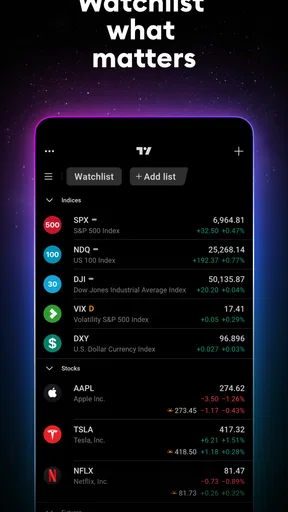
My most useful routine starts before I open individual charts. I decide which markets I actually follow, then use a watchlist as a short queue rather than a catalogue of every interesting ticker. That small restraint matters: a long list can turn a quick check into aimless scrolling, while a compact one makes it easier to notice what deserves attention. I can then open a chart, check the timeframe against my reason for watching it, and leave with a specific question to revisit.
For example, on a busy weekday I might check a stock I already follow during a break, compare its recent movement with a broader view, and set an alert around a level I want to review later. The point is not to react to every tick. It is to avoid repeatedly reopening the app just to see whether anything has changed. A good alert turns a vague intention—“keep an eye on this”—into a clear prompt to reassess.
Start with a chart you can explain
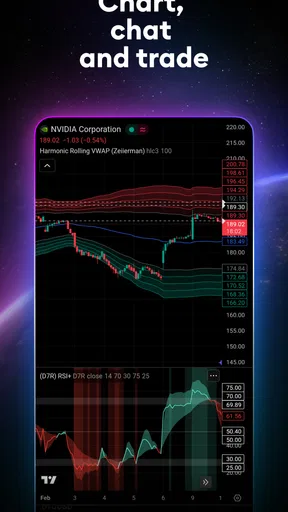
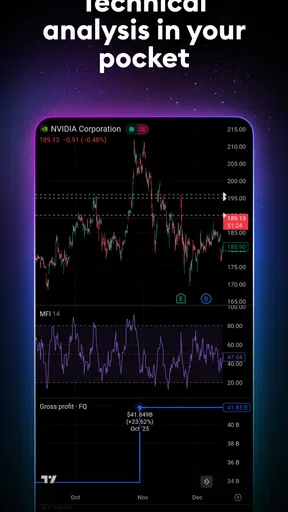
The app’s chart tools are more useful when I add them deliberately. If I am learning, I would begin with a clean chart and one indicator whose purpose I can describe, instead of layering several tools because they are available. When a chart gets crowded, it becomes harder to tell whether a signal comes from the market or from my own collection of settings. I also check that the chart interval suits the question: a short-term view and a long-term view can tell very different stories about the same instrument.
This is one reason I would not use a technical indicator as a stand-alone instruction to buy or sell. It is a way to inspect price behaviour, not a guarantee about what happens next. I find the app more helpful when I write down what I am looking for before changing the chart, then avoid treating a newly visible pattern as proof simply because it fits my hopes.
Who gets the most from it
TradingView is a strong fit for people who follow several kinds of markets and want charts, ideas, and financial news in one place. It can also suit a learner who wants to explore technical analysis at their own pace, especially if they are comfortable treating other users’ published ideas as viewpoints to examine rather than advice to copy. The free option makes it possible to start without paying, while optional in-app purchases range from $6.69 to $759.00 per item, so I would check the plan details carefully before committing to anything.
I would be more cautious if someone wants a simple, hands-off investing app, a direct substitute for a broker, or a stream of buy-and-sell answers. This is a finance app developed by TradingView Inc., not a promise of investment results. People who mainly need order entry or account-specific portfolio administration may find a broker’s own app a better first stop; someone who only checks a small number of prices may prefer a simpler tracker with less to configure.
Worth Reading Before You Choose

Baby Panda World Brings Quick Play to Modern Phones, but Its Game Library Feels Busy

ESPN’s Live Game View Makes Following Close Games Easier

QuizzLand Review: A Good Fit for Short Trivia Breaks, Not Every Player

Basketball Stars: Multiplayer Is Fast, but Can It Recover When Matches Go Wrong?

WEBTOON Turns Phone Updates Into a Better Reading Routine

Link to Windows Runs on Shared Habits, Not Social Feeds
How it compares with simpler alternatives
Compared with a basic price-tracking app, this one puts more emphasis on chart study, technical analysis, and ideas shared by other users. That extra depth is valuable when I want to investigate why a price caught my attention, but it also creates more choices to manage. A basic tracker can be quicker for a single glance; a broker app can be more convenient for actions tied to an investment account. I see TradingView as the middle ground for research and monitoring, not as the automatic best choice for every financial task.
Its community is useful when it broadens my view, but popularity alone does not make a trade thesis sound. I compare an idea with the chart and my own reasoning, and I pay attention to whether the author’s timeframe matches mine. A short-term call and a long-term investment view can appear to disagree while answering different questions. This simple check helps me learn from discussion without confusing another person’s confidence with evidence.
Make alerts useful, not noisy
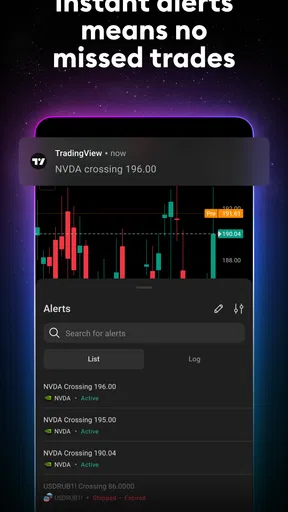
Alerts work best when they are tied to a decision I am willing to make. Before setting one, I ask what I will do when it arrives: inspect the chart, check the news, or decide that the original reason for watching no longer applies. If I cannot answer that, the alert is probably just another interruption. I also avoid setting many nearly identical alerts, since a flood of notifications can make it easier to ignore the one that matters.
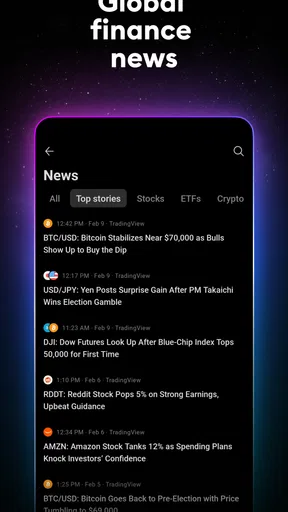
News and price movement need context, too. A notification can tell me to look, but it cannot decide whether a change matters to my goals or risk tolerance. I prefer to open the relevant chart and review the timeframe before drawing a conclusion. That extra pause is especially useful when a fast move makes an impulsive reaction feel urgent.
Settings and habits worth checking
I would take a few minutes early on to review chart preferences, the symbols in my watchlists, and which notifications I actually want to receive. The best arrangement is personal: a person following long-term investments may want a different set of charts and alerts from someone studying short-term price action. Keeping the layout consistent across sessions also makes comparisons easier, because I am less likely to mistake a change in display for a change in the market.
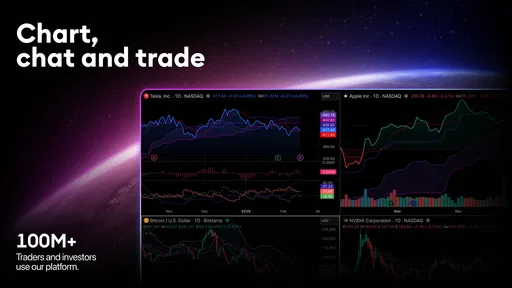
When moving between phone, tablet, and desktop, I would treat the phone as a convenient place to check and the larger screen as the better environment for a detailed review. TradingView supports access across devices, which is handy for continuing a routine, but a small display still limits how much chart detail I can inspect comfortably. I would avoid making a complicated decision while glancing at a chart in a hurry; a mobile check can tell me whether to investigate, not necessarily settle the question.
Where the learning curve shows
There is plenty to explore, and that breadth can be a drawback if I open the app without a plan. Technical tools, community posts, market coverage, and alerts can each pull attention in a different direction. New users may need time to distinguish chart features they understand from ones they have merely switched on. I would add tools gradually, revisit whether they help, and remove anything that makes the chart harder to read.
Another trade-off is that a social feed mixes useful perspectives with opinions that may not fit my situation. I do not assume a published idea is suitable just because it is detailed or popular. I check the underlying reasoning, the timeframe, and the assumptions before using it as a prompt for further research. For important financial decisions, the app should support my own process, not replace careful judgement or professional advice where that is appropriate.
What to expect before relying on it
The app is free to download and has an Everyone age rating. It has a 4.7 average from around 865,000 ratings, with roughly 12,000 written reviews and over 10 million installs. Those figures suggest that it reaches a broad audience, but they do not tell me whether its tools match a particular person’s needs. I would try the basic workflow first and decide whether I actually use the charts and alerts before considering any paid option.
It is also worth separating market information from execution. I would check which app is responsible for placing an order and managing an account before relying on a research tool for those tasks. If the main question is “what should I buy?”, no charting app can make that personal decision for me. If the question is “what changed, and what should I examine next?”, TradingView is much closer to the job I want it to do.
First Impressions
When I first downloaded TradingView: Track All Markets, I was immediately impressed by its sleek and intuitive design. Upon opening the app, it greets you with a clean interface that doesn’t overwhelm you with too many options right off the bat. You know what they say, first impressions last, and this one definitely made a mark.
The app is designed to be user-friendly, making it accessible for both seasoned traders and newbies like myself. The navigation is straightforward, and I found myself easily gliding through different sections without any hiccups.
Diving Into Features
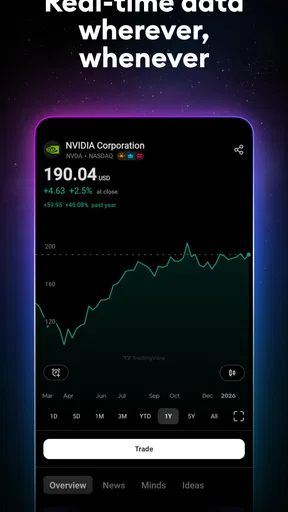
Now, let’s get into the nitty-gritty — the features. This app is like a Swiss Army knife for traders. It tracks various markets, including stocks, forex, cryptocurrencies, and more. What really blew my mind was the real-time data it offers. The information updates so quickly that I felt like I had a direct line to the trading floors!
One feature that I found particularly useful was the customizable charts. You can tailor them to suit your specific needs, whether you want a simple line chart or something more complex. The app provides a plethora of tools for technical analysis too, which was a godsend for someone like me who’s trying to get a grip on technical indicators.
Community and Collaboration
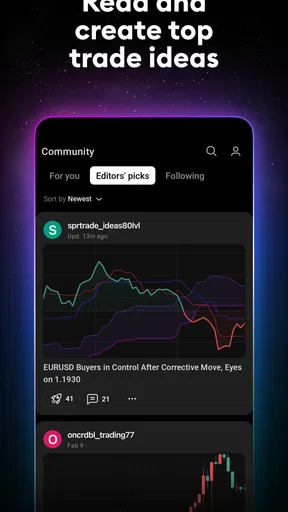
Another aspect that sets TradingView apart is its social community. The app has a vibrant community of traders who share ideas and strategies. I found it incredibly helpful to see what others were thinking about the markets. It’s like having a bunch of trading buddies in your pocket!
Moreover, you can publish your own trading ideas and get feedback from other users. This interactive feature makes it more than just a tracking app; it’s a platform for learning and collaboration.
Alerts and Notifications
We all know how crucial it is to stay updated with market changes. TradingView has a robust alert system that ensures you never miss a beat. You can set up custom alerts for price changes, news updates, or technical indicators. I’ve found this incredibly handy for keeping me in the loop, even when I’m not actively monitoring the app.
Accessibility Across Devices
One thing I love about TradingView is its cross-platform accessibility. Whether I’m on my phone, tablet, or desktop, I can access my account seamlessly. The sync feature ensures that all my settings and data are up-to-date across all devices. This flexibility is crucial when you’re on the move and need to make quick decisions.
Pricing and Plans
While TradingView offers a free version that’s quite feature-rich, there are premium plans available for those who want more. The paid versions unlock additional features like more indicators, faster data, and enhanced customization options. Even with the free version, you get a pretty solid experience, which is great if you’re just starting out and don’t want to commit financially yet.
Final Thoughts
All in all, TradingView is a powerhouse of a tool that caters to traders of all levels. It combines real-time data, customizable charts, and a thriving community, creating a comprehensive trading experience. Whether you’re a seasoned trader or just starting out, this app is definitely worth checking out. It’s become an indispensable part of my trading toolkit, and I’m sure it can do the same for you.
If you’re looking to track markets with precision and connect with fellow traders, give TradingView a spin. You won’t be disappointed!
My verdict after building a routine
After using it as a regular check-in tool, I think its strongest quality is the way it lets me move from noticing a market change to examining it in context. That is more useful than collecting endless charts or alerts. I would recommend it to a curious investor or active market follower who enjoys learning how price action is presented and wants a flexible place to organize research. It is less compelling for someone who wants the app to make decisions on their behalf.
TradingView was released on November 14, 2018, and its long-running presence gives it a settled feel as a market research app. Still, I would judge it by my own routine rather than its age or reach. I would start with a handful of instruments, one clear chart setup, and a couple of alerts tied to real questions. If those tools help me make calmer, better-informed checks, the app has earned its place; if I find myself watching every fluctuation, I would simplify the setup or choose a quieter alternative.
Pros
- Comprehensive charting tools for in-depth analysis.
- Access to real-time data from multiple markets.
- Customizable alerts to stay on top of trends.
- User-friendly interface with an intuitive design.
- Robust community for sharing insights and ideas.
Cons
- Premium features require a subscription.
- Can be overwhelming for beginners.
- Limited offline functionality.
- Occasional lag in data refresh.
- Mobile app lacks some desktop features.
FAQs for TradingView: Track All Markets
What features does TradingView offer for market analysis?
TradingView provides a comprehensive suite of tools for market analysis, including advanced charting features, customizable technical indicators, and real-time data on stocks, forex, cryptocurrencies, and more. Users can also access social networking features to share insights and strategies with a community of traders and analysts.
Is TradingView suitable for beginners in trading?
Yes, TradingView is designed to cater to both beginners and experienced traders. It offers user-friendly interfaces and educational resources like tutorials and webinars. Beginners can start with basic charting and gradually explore more sophisticated tools as they become familiar with trading concepts.
How can users access TradingView on mobile devices?
TradingView is available as a mobile app for both Android and iOS devices, providing on-the-go access to market data and analysis tools. Users can sync their preferences and settings across devices, ensuring a seamless trading experience whether they are using a smartphone, tablet, or desktop.
Does TradingView support real-time data alerts?
Yes, TradingView offers real-time data alerts that users can customize to their specific needs. Traders can set up alerts for price movements, news updates, and technical indicators to stay informed about market changes. These alerts can be delivered via push notifications, emails, or SMS.
Are there subscription options for TradingView’s services?
TradingView offers a range of subscription plans, from free basic access to premium options with additional features. Paid subscriptions provide enhanced tools, such as extended data, more indicators, and ad-free experiences. Users can choose a plan based on their trading needs and budget.


